



Play Little Broccoli Online for Free – No Download Needed!
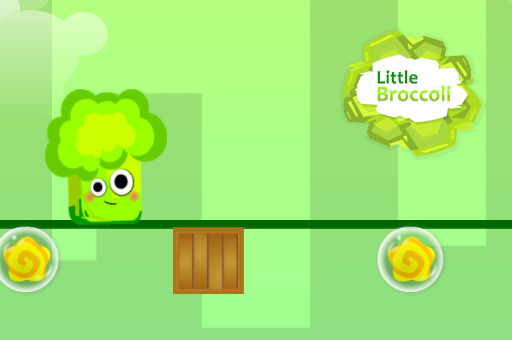
If you're looking for a fun and engaging casual game to enjoy, Little Broccoli online is a fantastic choice. This free browser game lets you play instantly in your browser with no download required. Little Broccoli unblocked gives players a smooth, enjoyable experience where you control a quirky broccoli character navigating through colorful levels full of fun challenges. The game’s simple mechanics make it easy to pick up, but the unique obstacles keep it exciting for all ages.
About Little Broccoli
Little Broccoli is a charming casual game that puts you in control of a lively broccoli character on a vibrant adventure. Though the developer is not widely known, the game stands out with its bright graphics and lighthearted gameplay. Its unique blend of platforming and puzzle elements makes it a delightful experience for anyone looking for a quick gaming fix.
Players love Little Broccoli for its easy-to-learn controls and steadily increasing difficulty. The game’s fun animations and creative level designs keep players coming back to improve their skills and beat their high scores. Its family-friendly vibe makes it a perfect pick for players of all ages.
How to Play Little Broccoli
The goal in Little Broccoli is to guide your broccoli character through a series of platforming challenges. Each level requires you to jump, dodge obstacles, and collect items while advancing toward the finish line. The core loop revolves around timing your movements carefully to avoid hazards and reach checkpoints. You win by successfully completing each level without falling or getting caught, while losing means restarting from the last checkpoint.
Little Broccoli Controls
- Arrow Keys / WASD — Move left and right
- Spacebar — Jump
- Mouse — Interact with in-game objects (if applicable)
Tips & Tricks to Win at Little Broccoli
Mastering Little Broccoli requires both patience and practice. Here are some tips to help you get ahead:
- Time your jumps carefully to avoid traps and moving obstacles; rushing often leads to failure.
- Use the momentum from running to make longer jumps when necessary.
- Observe enemy patterns before making a move to plan a safe path through tricky areas.
- Collect all available items to boost your score and unlock potential bonuses.
Why Play Little Broccoli on FreeGameZone?
FreeGameZone offers Little Broccoli for free with no downloads, no logins, and no annoying ads interrupting your fun. It works seamlessly on any modern browser, whether you're on a PC, Mac, or mobile device. With hundreds of similar casual games available, FreeGameZone is your go-to spot for quick, enjoyable gameplay anytime you want. Jump in now and see how far you can get!
Similar Games You'll Love
- Schoolboy Escape 2 — Another casual platformer with quirky characters and challenging obstacle courses.
- Super Bear Adventure — Features charming graphics and platforming fun similar to Little Broccoli’s style.
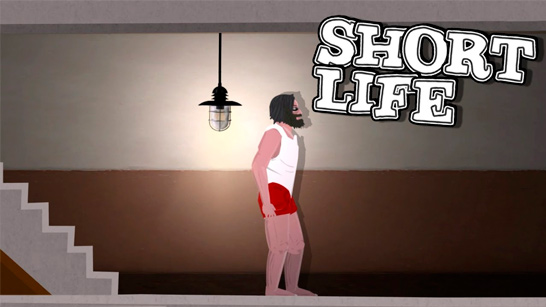
- Short Life — A casual action platformer with various levels that test your timing and reflexes.
Frequently Asked Questions About Little Broccoli
Is Little Broccoli free to play?
Yes! Little Broccoli is completely free to play on freegamezone.io — no purchase, no subscription, no hidden fees.
Can I play Little Broccoli unblocked?
Absolutely. Little Broccoli runs directly in your browser on freegamezone.io, making it accessible even on school or work networks where other sites may be blocked.
Do I need to download Little Broccoli?
No download needed. Little Broccoli loads instantly in any modern browser — Chrome, Firefox, Safari, or Edge.
What are the controls for Little Broccoli?
You use the arrow keys or WASD to move left and right, and the spacebar to jump. The mouse may be used to interact with objects if the game requires it.
Is Little Broccoli available on mobile?
Yes, Little Broccoli works on mobile browsers. Just open freegamezone.io on your phone or tablet and play directly — no app required.
Comments
No comments yet. Be the first to comment.