







Paper Ball online: Play Free & Unblocked in Your Browser
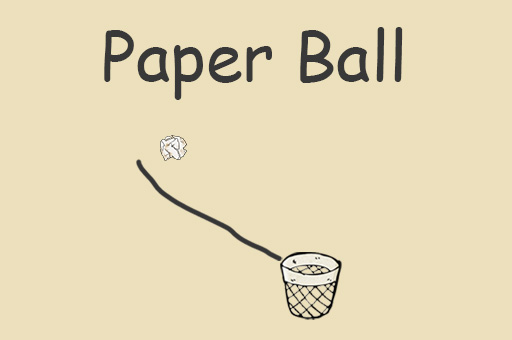
If you’re looking for a fun, free way to pass time, Paper Ball online is a perfect pick. This casual browser game lets you play instantly in your browser with no download required. Paper Ball unblocked means you can enjoy it anywhere—even on restricted networks like school or work. The game’s simple yet addictive paper-flipping mechanic challenges you to toss a paper ball into a trash can with precision and timing. Dive in and see how many successful shots you can make!
About Paper Ball
Paper Ball is a casual skill game that tests your aiming and timing as you try to throw a paper ball into a bin. While its original creator isn’t widely publicized, what makes Paper Ball stand out is its minimalistic design and satisfying gameplay loop. It’s easy to learn yet hard to master, making it a hit for all ages.
Players love Paper Ball because of its straightforward controls and quick play sessions. The challenge of hitting the target perfectly keeps everyone coming back for more. The game’s smooth animations and rewarding sound effects add to the fun, making every successful toss feel great.
How to Play Paper Ball
The goal in Paper Ball is simple: flick or throw the paper ball into the trash can using the right amount of force and angle. Each round gives you a chance to adjust your shot based on the previous attempt. If you miss, don’t worry—just try again! The game challenges your hand-eye coordination and timing. You win by scoring as many baskets as possible, and the game continues until you miss too many times or decide to stop.
Paper Ball Controls
- Mouse — Click and drag to aim and set force for your throw
- Spacebar — Sometimes used to shoot (depends on version)
- Arrow Keys — Adjust angle or position (optional in some versions)
Tips & Tricks to Win at Paper Ball
Want to boost your Paper Ball skills? Here are some simple tips to help you score more consistently.
- Start with gentle throws to get a feel for the angle before increasing force.
- Pay attention to the ball’s arc and adjust your aim slightly if you keep missing on one side.
- Practice timing your release point to avoid overshooting or undershooting the basket.
- Stay calm and patient—rushed throws usually end in misses.
Why Play Paper Ball on FreeGameZone?
Paper Ball is free to play with no download or login required, making it super easy to jump right into the action. Whether you’re on a PC, Mac, or mobile device, it runs smoothly on any modern browser. FreeGameZone hosts hundreds of similar casual and skill games, so you’ll never run out of fun options. Ready for some quick, addictive gameplay? Jump in now and see how far you can get!
Similar Games You'll Love
- Color Rush — Another casual skill game focusing on timing and precision with simple controls and addictive gameplay.
- Level Devil — A challenging platformer with skill-based mechanics that test your reflexes and timing.
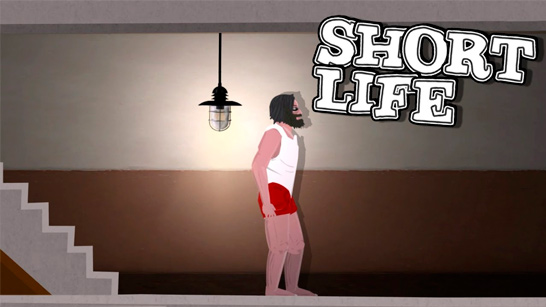
- Short Life — A quirky action game with precise controls and quick decision making, similar in its arcade feel.
Frequently Asked Questions About Paper Ball
Is Paper Ball free to play?
Yes! Paper Ball is completely free to play on FreeGameZone with no purchase or subscription needed.
Can I play Paper Ball unblocked?
Absolutely. Paper Ball runs directly in your browser on freegamezone.io, ensuring it’s accessible even on school or work networks where other sites might be blocked.
Do I need to download Paper Ball?
No download is needed. Paper Ball loads instantly in any modern browser like Chrome, Firefox, Safari, or Edge, so you can start playing instantly.
What are the controls for Paper Ball?
You mainly use your mouse to click and drag to aim and set the throwing force, with some versions allowing keyboard inputs like the spacebar or arrow keys for adjustments.
Is Paper Ball available on mobile?
Yes, Paper Ball works perfectly on mobile browsers. Just open freegamezone.io on your phone or tablet and start playing—no app installation required.
Comments
No comments yet. Be the first to comment.